Running Juno on GCP
To run Juno on the Google Cloud Platform (GCP), you can use the Starknet RPC Virtual Machine (VM) developed by Nethermind.
1. Install the Starknet RPC Node
Head to the Google Marketplace and search for "Starknet RPC Node". Then, click the "GET STARTED" button to begin the deployment process.
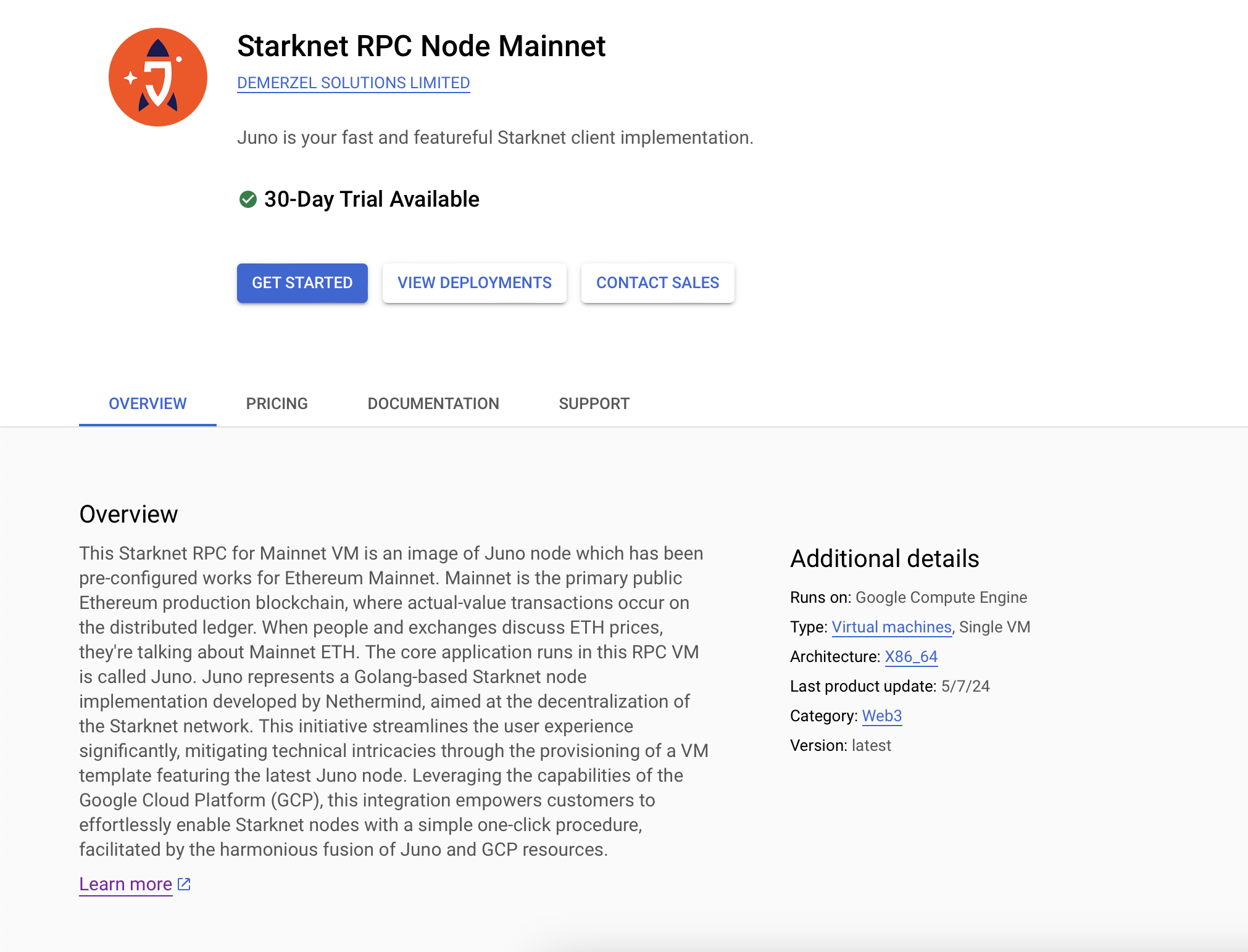
2. Configure the Juno client
Choose the configuration settings for the Juno client and click the "DEPLOY" button.
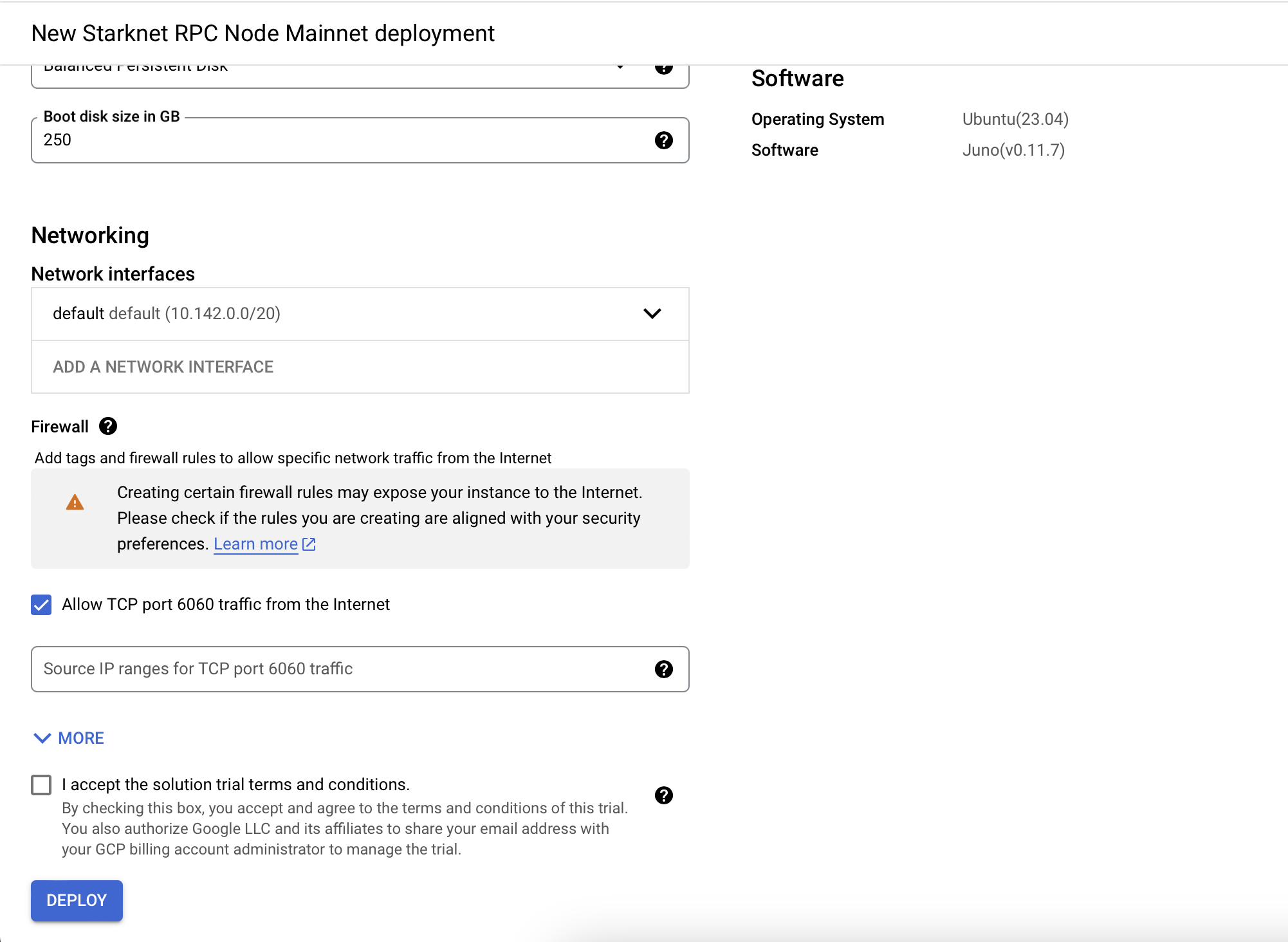
3. Post-configuration and testing
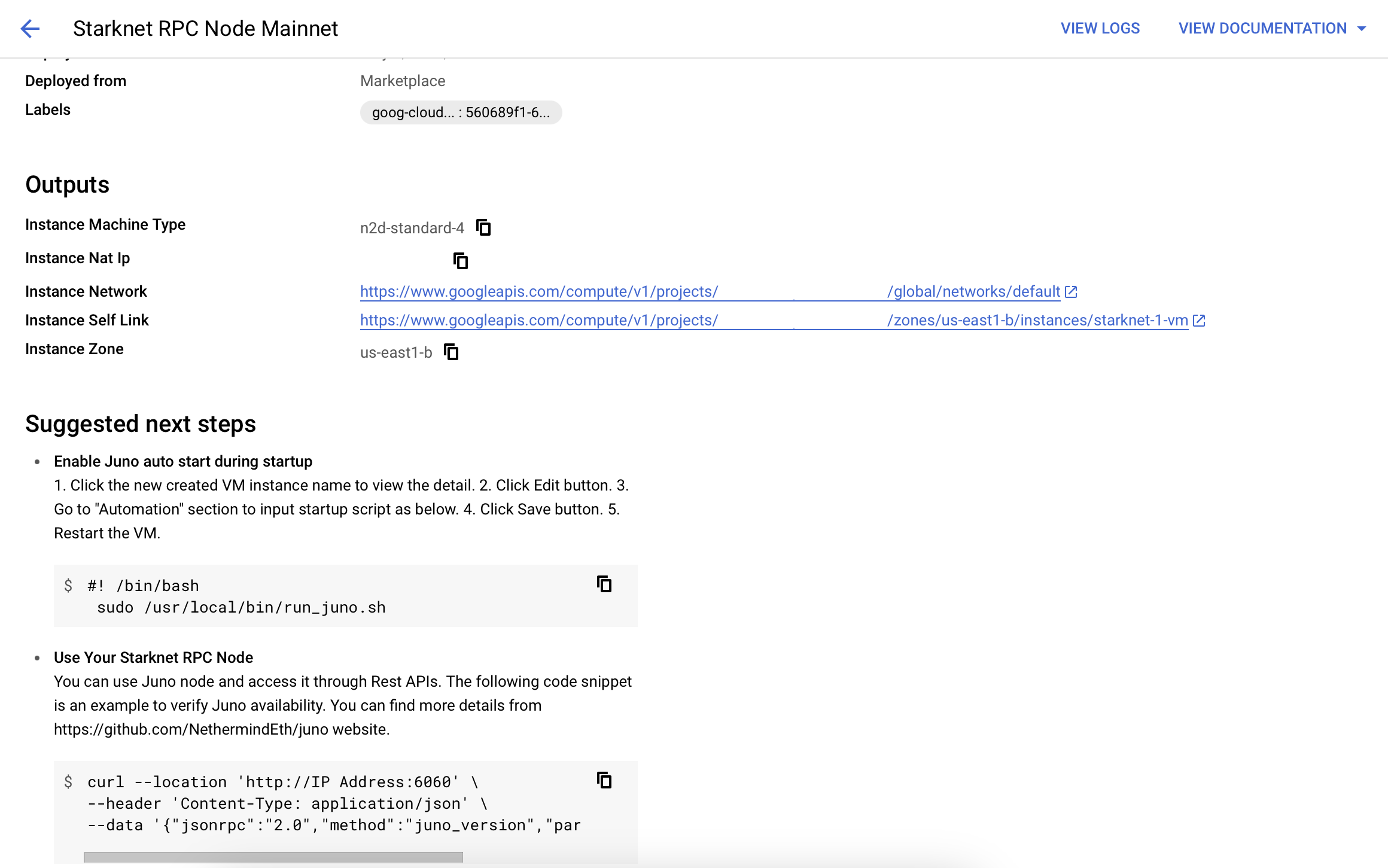
4. Enable Juno during startup
- Click on the name of the newly created VM instance to view its details.
- Click the "Edit" button.
- Head to the "Automation" section and enter the following startup script:
#! /bin/bashsudo /usr/local/bin/run_juno.sh
- Click the "Save" button.
- Restart the VM.
5. Interact with the Juno node
You can interact with Juno using its JSON-RPC interface. Here's an example to check the availability of Juno:
- Request
- Response
curl --location 'http://localhost:6060' \
--header 'Content-Type: application/json' \
--data '{
    "jsonrpc": "2.0",
    "method": "juno_version",
    "params": [],
    "id": 1
}'
{
  "jsonrpc": "2.0",
  "result": "v0.11.7",
  "id": 1
}
tip
To learn how to configure Juno, check out the Configuration guide.